
No dependencies, event based, web page scroll tracking. The script sends an event to the subscribed callbacks when a fraction of the total window height is reached.
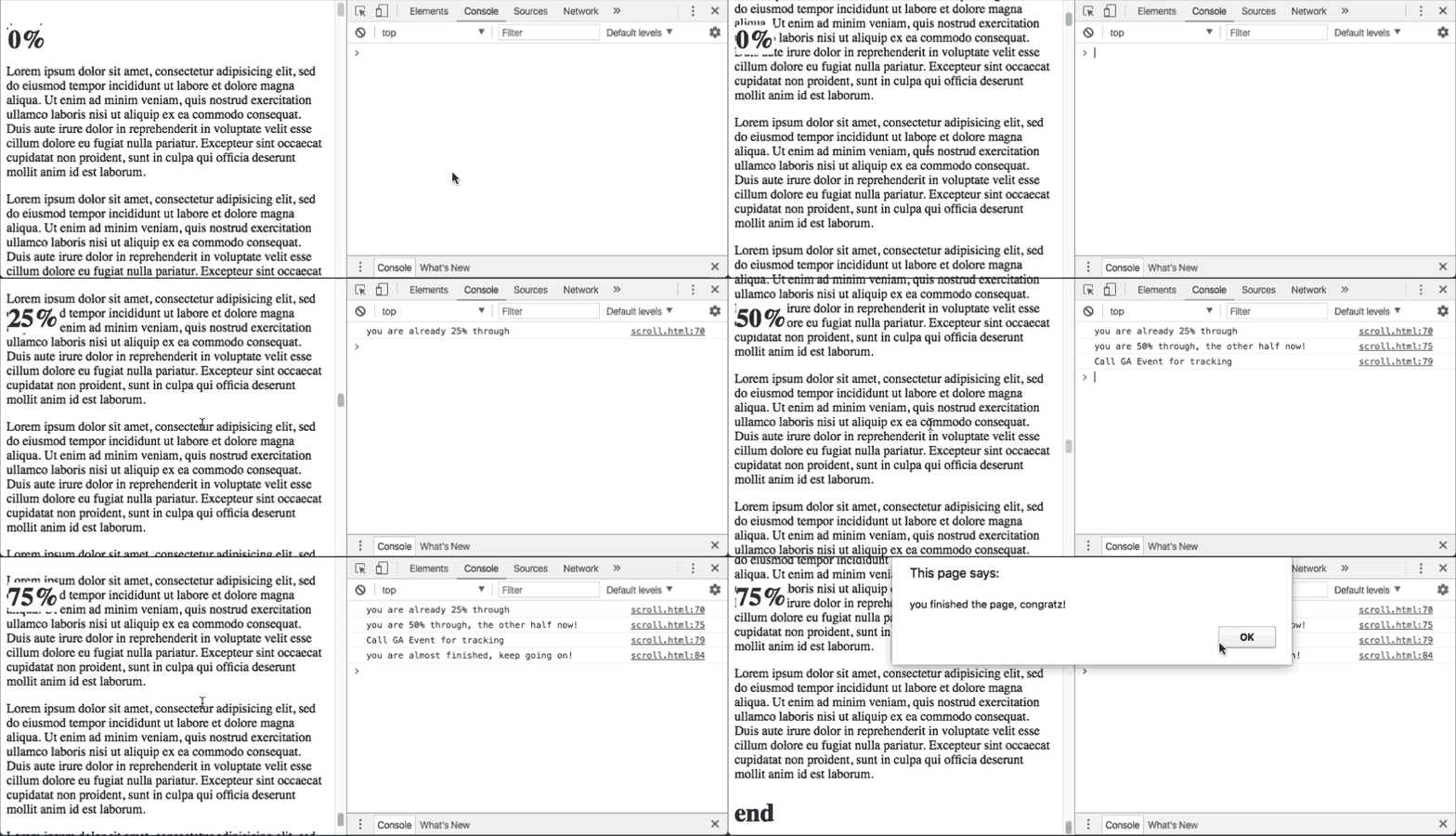
You can find the JS file in site/js/scroll.js
1 - Make sure you require the file to into your html document.
<script type='text/javascript' src='path/to/scroll.js'></script>2 - If you want to customize the fractions of the page height in which the event will be triggered, you can use the following. Otherwise it will use 0.25, sending events every 25% of the page.
  ScrollTrack.setTriggerEventsFraction(0.50);

  // This will be sending 2 events, one when the user scrolled through 50% of
  // page, and another when he reaches the end of the page (100%)
3 - Call the bindEvents function, which adds a listener to window.onscroll
ScrollTrack.bindEvents()4 - Subscribe any callback to specific fractions of the user scrolling. Please make sure that you use a fraction that is a multiple of the fraction you set with setTriggerEventsFraction.
For example, if you set 0.25 as the setTriggerEventsFraction, you could subscribe callbacks to 0.25, 0.50, 0.75, 1.0 and the callbacks will be called properly.
  var h1 = document.getElementById('fixed-scroll-depth-indicator')

  ScrollTrack.subscribeCallback(0.25, function (){
    h1.innerHTML = '25%'
    console.log('you are already 25% through')
  })

  ScrollTrack.subscribeCallback(0.50, function (){
    h1.innerHTML = '50%'
    console.log('you are 50% through, the other half now!')
  })

  ScrollTrack.subscribeCallback(0.50, function (){
    console.log('Call GA Event for tracking');
  })

  ScrollTrack.subscribeCallback(0.75, function (){
    h1.innerHTML = '75%'
    console.log('you are almost finished, keep going on!')
  })

  ScrollTrack.subscribeCallback(1.0, function (){
    h1.innerHTML = '100%'
    alert('you finished the page, congratz!')
})- You can subscribe as many callbacks as you want to each scroll fraction.
- The event will ONLY be triggered ONCE. If the user scrolls downwards and an events if fired, if the user laters scrolls upwards it will not be tracked.
- If the user opens the page, and the window scrolls automatically to any part of the page, all the corresponding events up until that point will be triggered.
- If the page is not scrollable no event will fire