


LinuxUI is a sophisticated web-based simulation of a Linux desktop environment. Built entirely with Vanilla JavaScript and CSS (optimized with Vite), it utilizes a Node.js backend to handle system operations, meaning it is not just a static or purely client-side application.
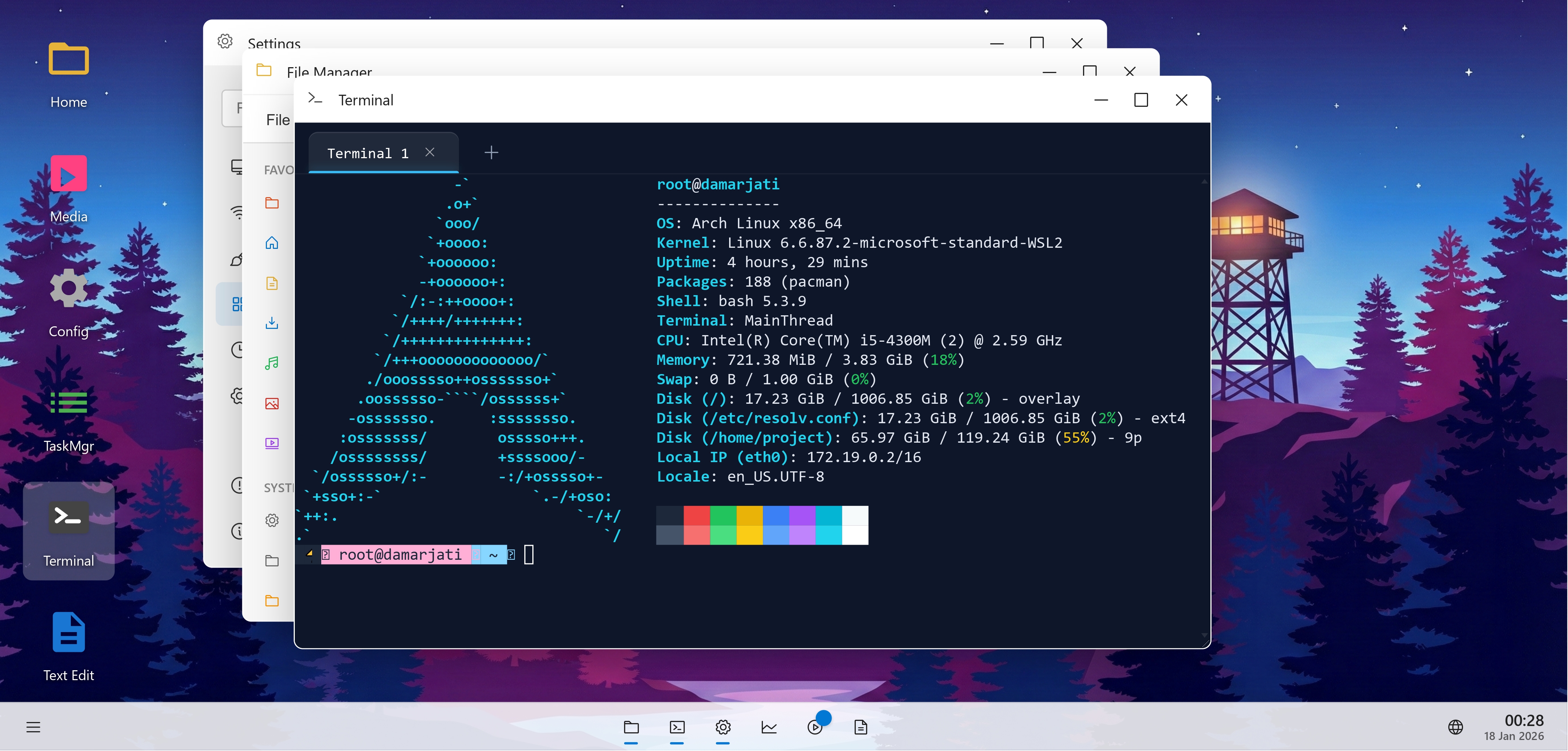
It mimics the look and feel of modern Linux desktop environments, complete with a window manager, virtual file system, taskbar, dock, and functional system applications.
- Window Manager: Full support for dragging, resizing, minimizing, maximizing, and z-index stacking.
- Virtual File System: In-memory file system mimicking Unix directory structure (
/home,/mnt, etc.), with support for file operations. - Desktop Environment: Interactive desktop with grid-based icons, context menus, and drag-and-drop support.
- System Apps:
- Explorer: Full-featured file manager with grid/list views and breadcrumb navigation.
- Terminal: Functional CLI with support for standard Unix-like commands (
ls,cd,cat,echo, etc.). - Settings: Comprehensive system configuration (Display, Storage, Personalization).
- Text Editor: Notepad-like application for editing files.
- Media Center: Application for browsing and playing mock media files.
- Task Manager: System monitor for virtual processes and performance.
- Theme Engine: Glassmorphism UI with dynamic wallpapers and light/dark mode support.
- Security: Simulated lock screen with session token generation.
- Runtime: Browser + Node.js Backend
- Build Tool: Vite 5.0
- Language: Vanilla JavaScript (ES6+ Modules)
- Styling: Native CSS3 + CSS Variables (No frameworks like Tailwind or Bootstrap)
-
Clone the Repository
git clone https://github.com/Damarcreative/LUI.git cd LUI -
Install Dependencies
npm install
-
Run Development Server
npm run dev
The application will be available at
http://localhost:5173. -
Build for Production
npm run build
LinuxUI/
├── index.html              # Application entry point
├── src/
│   ├── main.js             # Bootstrapper
│   ├── core/               # Core System Modules
│   │   ├── WindowManager/  # Window orchestration logic
│   │   ├── Desktop/        # Desktop icons and grid logic
│   │   ├── Taskbar/        # Panel, Start Menu, Tray
│   │   └── LockScreen/     # Authentication screen
│   ├── system/             # System Services (FS, Registry, API)
│   └── apps/               # Built-in Applications
│       ├── Explorer/
│       ├── Terminal/
│       ├── Settings/
│       └── ...
└── docs/                   # Detailed documentation
Detailed documentation for developers is available in the docs/ directory:
- App System Guidance: How to create and manage applications within the LUI ecosystem.
- Technical Analysis: Deep dive into the system architecture.
Contributions are welcome! Please fork the repository and submit a pull request for any features, bug fixes, or improvements.
- Fork the Project
- Create your Feature Branch (
git checkout -b feature/AmazingFeature) - Commit your Changes (
git commit -m 'Add some AmazingFeature') - Push to the Branch (
git push origin feature/AmazingFeature) - Open a Pull Request
Distributed under the MIT License. See LICENSE for more information.