
A nice display of the error stack in your CLI
Installation • Usage • Documentation • License • Contact • Support
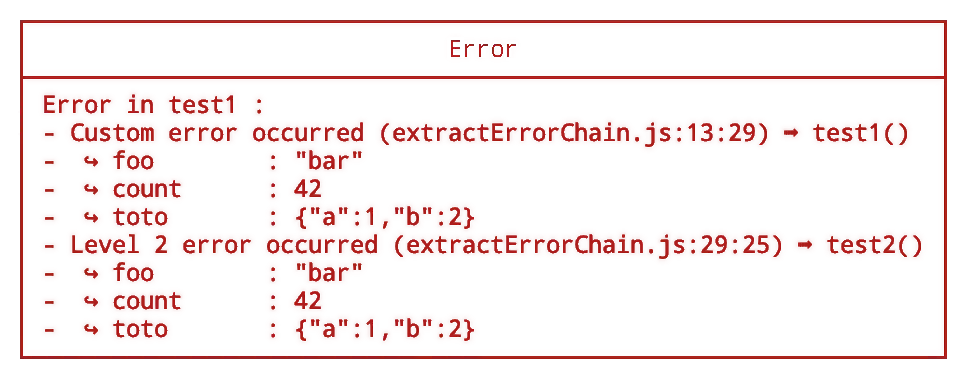
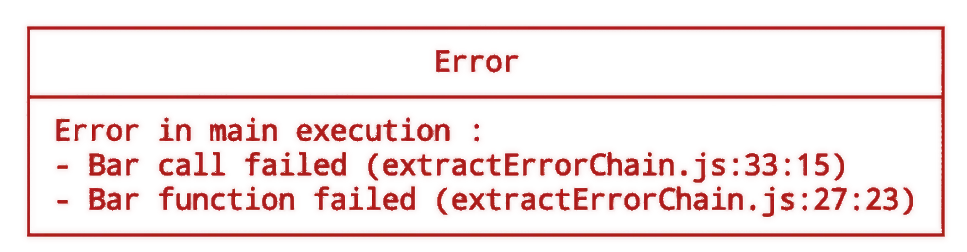
Error chains with cause look cool on paper, but unpacking them in the console is a nightmare. errorUnstack takes your nested errors and transforms them into a formatted, readable, and structured display. File positions, clear messages, attached data, colors... everything you need to debug without the headache.
npm i @cafeine-software/errorunstackimport { displayErrorStack } from '@cafeine-software/errorunstack';
function bar() {
throw new Error("Bar function failed");
}
function foo() {
try {
bar()
}
catch (err) {
throw new Error("Bar call failed", { cause: err });
}
}
try {
foo();
}
catch (err) {
displayErrorStack(err, "Error in main execution");
}
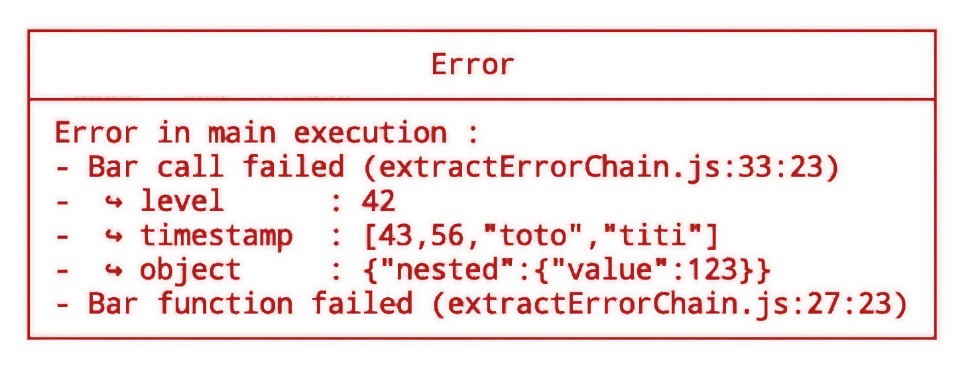
You can add custom data for debug purpose by filling the data argument of the Error object.
import { displayErrorStack } from '@cafeine-software/errorunstack';

function bar() {throw new Error("Bar function failed");}

function foo(level) {

    try { bar();}
    catch (err) {
        const error = new Error("Bar call failed", { cause: err });
        error.data = {
            level: level,
            timestamp: [43,56,"toto","titi"],
            object: {nested: {value: 123}}
        }
        throw error;
    }

}

try {foo(42);}
catch (error) {
    displayErrorStack(error, "Error in main execution");
}
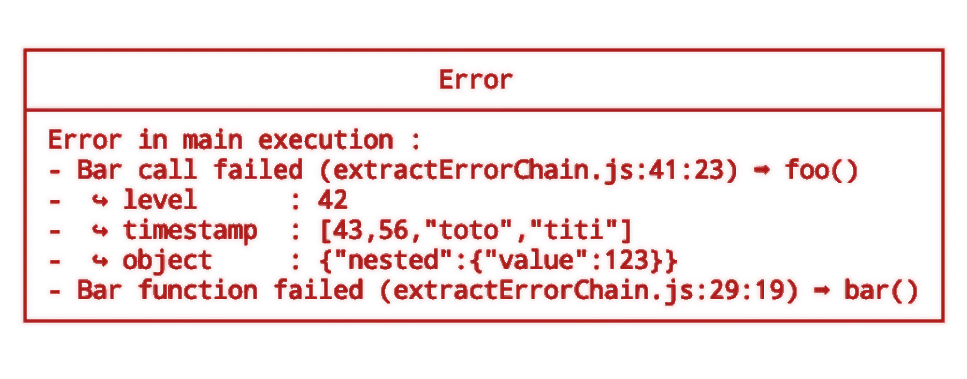
You can specify a method key in you custom data object, it will display beside code coordinate (line:col) the method name
function bar() {

    const error = new Error("Bar function failed");
    error.data = {
        method: "bar"
    }
    throw error;
}

function foo(level) {

    try { bar(); }
    catch (err) {
        const error = new Error("Bar call failed", { cause: err });
        error.data = {
            level: level,
            timestamp: [43, 56, "toto", "titi"],
            object: { nested: { value: 123 } },
            method: "foo"
        }
        throw error;
    }

}

try { foo(42); }
catch (error) {
    displayErrorStack(error, "Error in main execution");
}
The package export two methods extractErrorChain and displayErrorStack
Extract the error chain from an Error object
| Parameter | Type | Default | Description |
|---|---|---|---|
error |
Error |
- | The error (contaning causes stack) |
Array<ErrorEntry> - An array containing object describing each error
Display a formatted error stack in the console
| Parameter | Type | Default | Description |
|---|---|---|---|
error |
Error |
- | The error (contaning causes stack) |
title |
String |
An error occurred | Title to display above the error stack |
Void
| Parameter | Type | Default | Description |
|---|---|---|---|
message |
String |
- | The error message |
file |
String |
- | The file where the error occurred |
line |
Number |
- | The line where the error occurred |
col |
Number |
- | The col where the error occurred |
data |
Object |
- | Custom data added to the error |

Developed by Quentin Lamamy.
- Email: contact@quentin-lamamy.fr
- GitHub: github.com/quentin-lamamy
- Cafeine Github: github.com/Cafeine-Software
