** News **: We now provide a new RL pipeline supporting K1 robot!
- Booster Train trains a set of reinforcement learning tasks for Booster robots using Isaac Lab.
- Booster Deploy provides an easy-to-use deployment framework that enables seamlessly running the same policy code in both simulation and on real robots.
- Booster Assets provides Booster robot descriptions and example motion data.
Booster Gym is a reinforcement learning (RL) framework designed for humanoid robot locomotion developed by Booster Robotics.
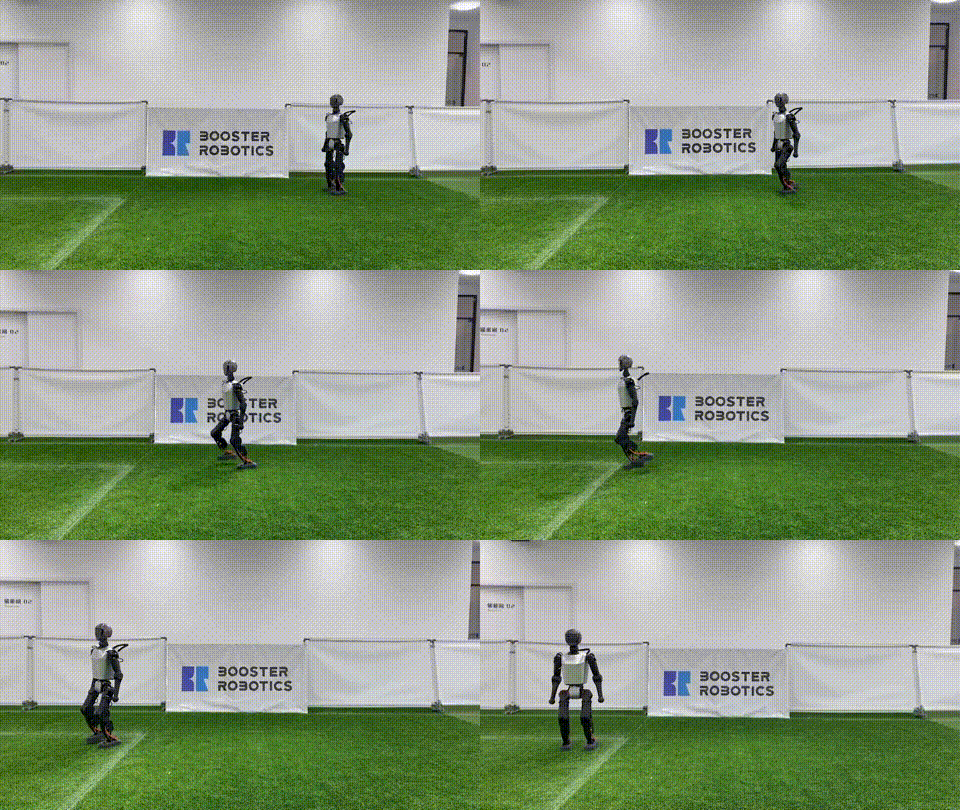
- Complete Training-to-Deployment Pipeline: Full support for training, evaluating, and deploying policies in simulation and on real robots.
- Sim-to-Real Transfer: Including effective settings and techniques to minimize the sim-to-real gap and improve policy generalization.
- Customizable Environments and Algorithms: Easily modify environments and RL algorithms to suit a wide range of tasks.
- Out-of-the-Box Booster T1 Support: Pre-configured for quick setup and deployment on the Booster T1 robot.
The framework supports the following stages for reinforcement learning:
-
Training:
- Train reinforcement learning policies using Isaac Gym with parallelized environments.
-
Playing:
- In-Simulation Testing: Evaluate the trained policy in the same environment with training to ensure it behaves as expected.
- Cross-Simulation Testing: Test the policy in MuJoCo to verify its generalization across different environments.
-
Deployment:
- Model Export: Export the trained policy from
*.pthto a JIT-optimized*.ptformat for efficiency deployment - Webots Deployment: Use the SDK to deploy the model in Webots for final verification in simulation.
- Physical Robot Deployment: Deploy the model to the physical robot using the same Webots deployment script.
- Model Export: Export the trained policy from
Follow these steps to set up your environment:
-
Create an environment with Python 3.8:
$ conda create --name <env_name> python=3.8
$ conda activate <env_name>
-
Install PyTorch with CUDA support:
$ conda install numpy=1.21.6 pytorch=2.0 pytorch-cuda=11.8 -c pytorch -c nvidia
-
Install Isaac Gym
Download Isaac Gym from NVIDIA’s website.
Extract and install:
$ tar -xzvf IsaacGym_Preview_4_Package.tar.gz
$ cd isaacgym/python
$ pip install -e .
Configure the environment to handle shared libraries, otherwise cannot found shared library of
libpython3.8:$ cd $CONDA_PREFIX $ mkdir -p ./etc/conda/activate.d $ vim ./etc/conda/activate.d/env_vars.sh # Add the following line export OLD_LD_LIBRARY_PATH=${LD_LIBRARY_PATH} export LD_LIBRARY_PATH=$LD_LIBRARY_PATH:$CONDA_PREFIX/lib $ mkdir -p ./etc/conda/deactivate.d $ vim ./etc/conda/deactivate.d/env_vars.sh # Add the following line export LD_LIBRARY_PATH=${OLD_LD_LIBRARY_PATH} unset OLD_LD_LIBRARY_PATH
-
Install Python dependencies:
$ pip install -r requirements.txt
To start training a policy, run the following command:
$ python train.py --task=T1Training logs and saved models will be stored in logs/<date-time>/.
Training settings are loaded from envs/<task>.yaml. You can also override config values using command-line arguments:
--checkpoint: Path of the model checkpoint to load (set to-1to use the most recent model).--num_envs: Number of environments to create.--headless: Run headless without creating a viewer window.--sim_device: Device for physics simulation (e.g.,cuda:0,cpu).--rl_device: Device for the RL algorithm (e.g.,cuda:0,cpu).--seed: Random seed.--max_iterations: Maximum number of training iterations.
To add a new task, create a config file in envs/ and register the environment in envs/__init__.py.
To visualize training progress with TensorBoard, run:
$ tensorboard --logdir logsTo use Weights & Biases for tracking, log in first:
$ wandb loginYou can disable W&B tracking by setting use_wandb to false in the config file.
To test the trained policy in Isaac Gym, run:
$ python play.py --task=T1 --checkpoint=-1Videos of the evaluation are automatically saved in videos/<date-time>.mp4. You can disable video recording by setting record_video to false in the config file.
To test the policy in MuJoCo, run:
$ python play_mujoco.py --task=T1 --checkpoint=-1To deploy a trained policy through the Booster Robotics SDK in simulation or in the real world, export the model using:
$ python export_model.py --task=T1 --checkpoint=-1After exporting the model, follow the steps in Deploy on Booster Robot to complete the deployment process.